 Sheetstead
For Google Sheets™
Seller Order & Profit Tracker
See fees, net profit and margin for every order, and know when stock runs low — in a spreadsheet you own.
What it fixes
- Marketplace and payment fees hide your real profit per order.
- Stock counts drift as orders and refunds add up.
- You find out a product is running low after it's too late to reorder.
What's inside
7 tabs and 4 menu actions.
| Tab | What it does |
|---|---|
| Start Here | Version, setup steps and the support address. |
| Settings | Currency symbol, date format and a fee profile for each sales channel. |
| Products | SKU, name, unit cost, starting stock, stock adjustments and reorder level. |
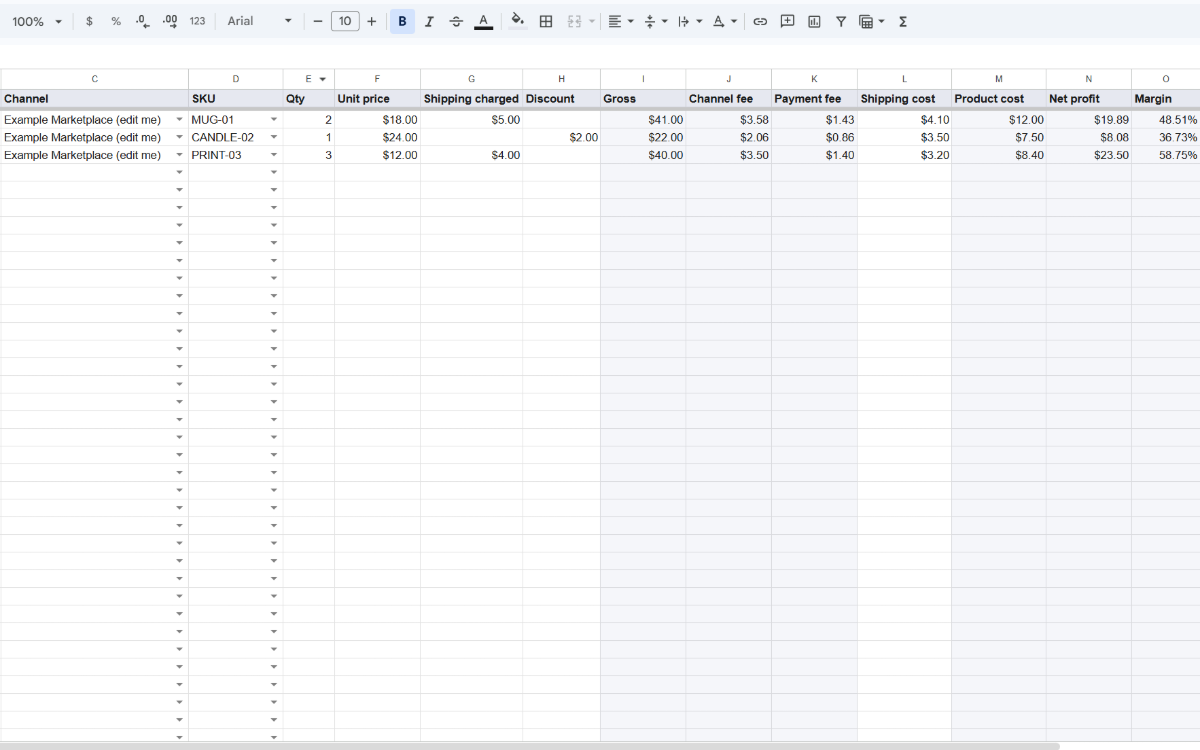
| Orders | One row per order: gross, fees, net profit and margin. |
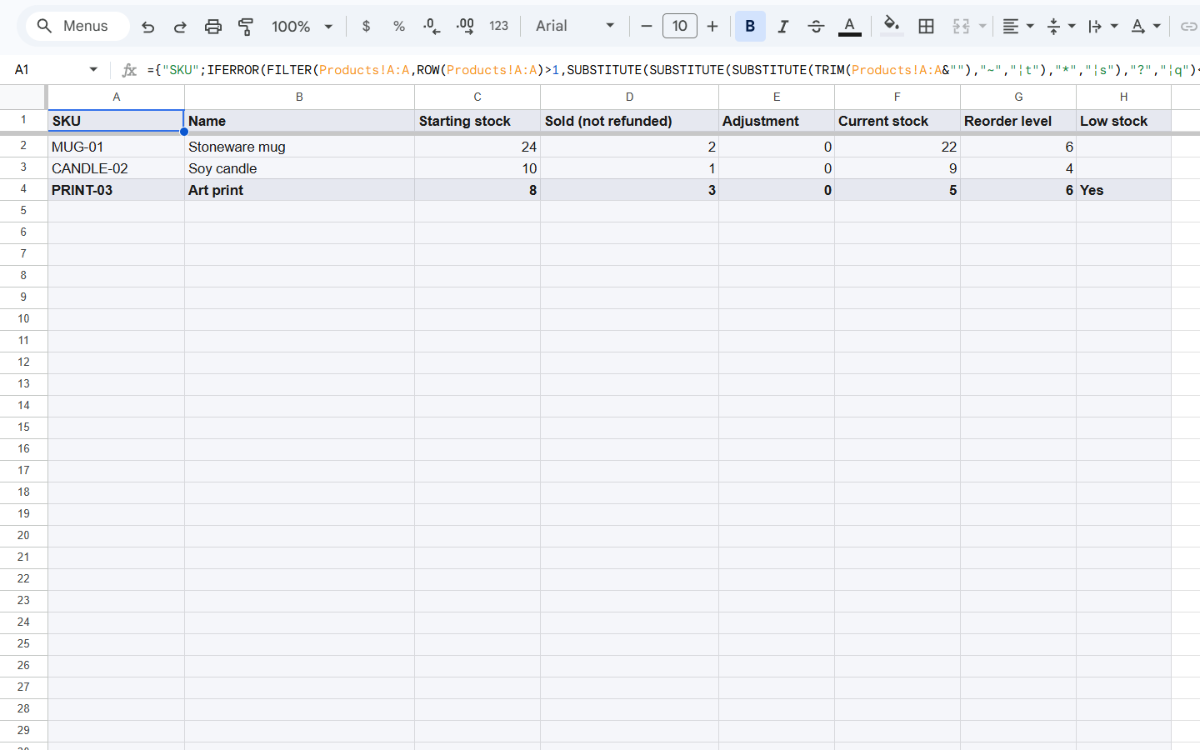
| Stock | Current stock for each SKU, with a flag at or below the reorder level. |
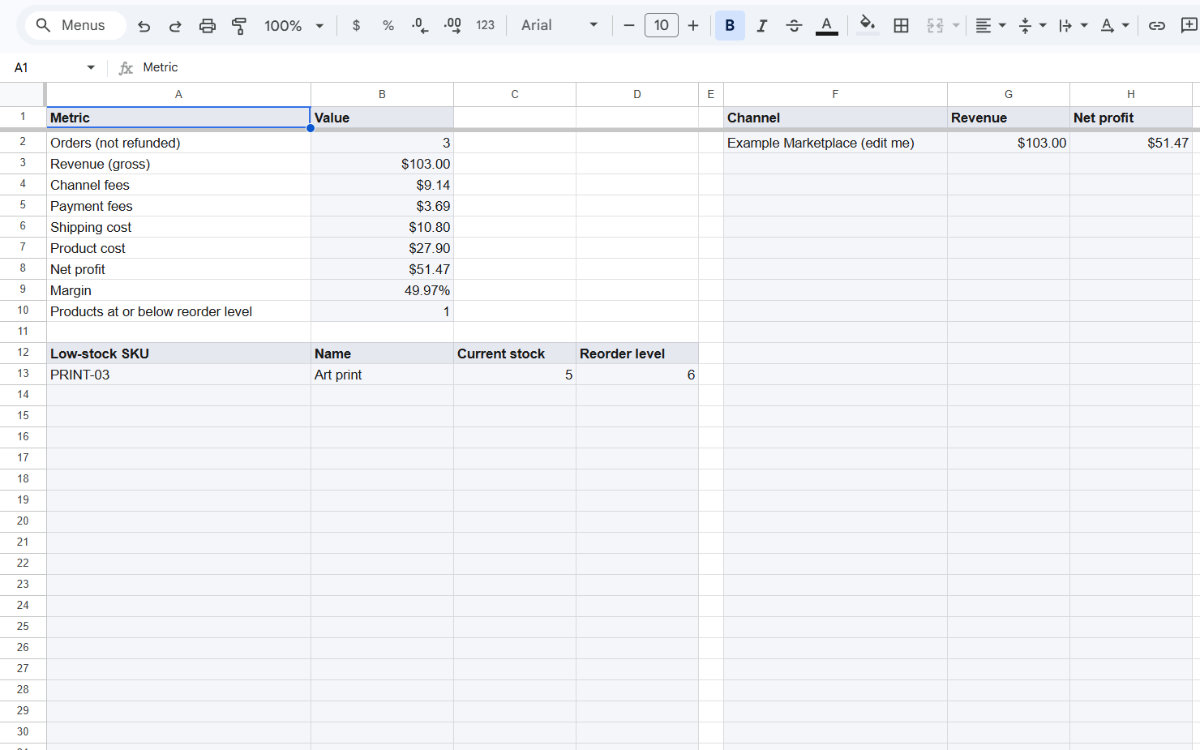
| Dashboard | Revenue, fees, profit and products at or below their reorder level. |
| CHANGELOG | What changed in each version. |
The Sheetstead menu
- Add order row
- Mark selected as shipped
- Recalculate
- Clear example data
Note: No platform rates are built in. You enter the fee rates for each channel you sell on, so they match what you actually pay.
How it works
- Buy the template — Checkout is on Polar. After payment you get the setup guide PDF.
- Make your copy — Open the copy link in the guide and choose Make a copy.
- Allow the script and start — The first time you use the Sheetstead menu, confirm the permission request. Then add a fee profile on the Settings tab.
Screenshots
The script can only access this one spreadsheet
The template's script asks for one permission: to see and edit the spreadsheet it's attached to. It doesn't send email, connect to outside services, or open other files. If a warning says the app isn't verified, the setup guide shows what to select.
What you need
- A Google account
- A desktop browser: Chrome, Edge, Firefox or Safari
- On phones and tablets you can enter data, but menus don't run
60-day refund
Ask within 60 days of purchase and you'll get a full refund, no questions asked. Refund policy
Note: Template only — no custom work. Support is by email at support@sheetstead.com.