 Sheetstead
How to Track Overdue Invoices in Google Sheets
Updated
To track overdue invoices in Google Sheets, add a Days overdue column that compares each due date with TODAY(). Then sort each invoice into an aging bucket (1-30, 31-60, 61-90 or 91+ days) and total the overdue balances with SUMIFS. The formulas below cover each step.
What you need
Columns: A Invoice, B Client, C Due date, D Status (Draft, Sent, Paid or Void), E Balance. Dates must be real dates, not text.
Put the headers in row 1 and one invoice on each row below them. Balance is what the client still owes on that invoice: the invoice total minus any payments you have received. If you record payments in another column, work out Balance with a formula so it changes when a payment comes in. Leave columns F and G empty for now. The steps below fill them with formulas.
Step 1: Calculate days overdue
In F1, type the header Days overdue. Enter this formula in F2, then copy it down to your last invoice row:
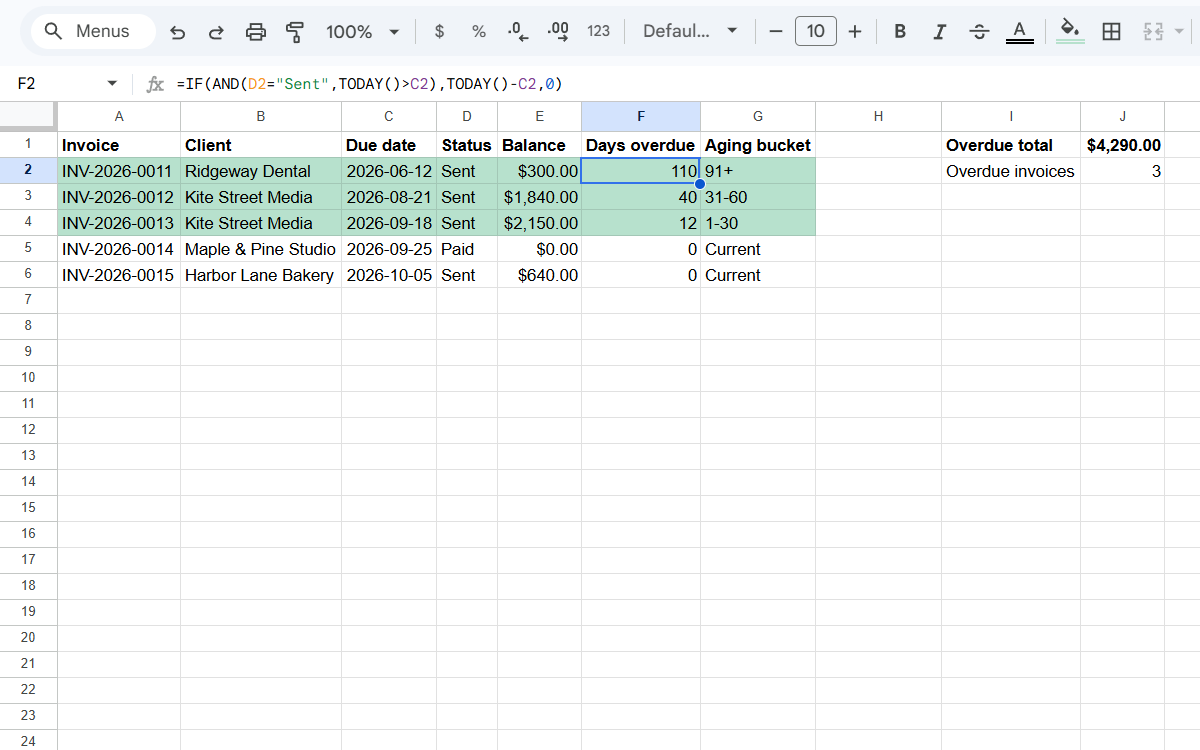
=IF(AND(D2="Sent",TODAY()>C2),TODAY()-C2,0)The formula returns a number only when two things are true: the status is Sent, and today is later than the due date. A Draft invoice hasn't gone out yet, a Paid invoice is settled and a Void invoice was canceled, so all three show 0. TODAY() updates each time the sheet opens, so the count stays current without any edits from you. An invoice due today shows 0 and becomes 1 day overdue tomorrow.
Step 2: Sort invoices into aging buckets
In G1, type Aging bucket. Enter this formula in G2 and copy it down:
=IFS(F2=0,"Current",F2<=30,"1-30",F2<=60,"31-60",F2<=90,"61-90",TRUE,"91+")IFS checks each condition in order and stops at the first one that is true. An invoice that isn't overdue lands in Current. The rest land in 1-30, 31-60, 61-90 or 91+, based on how many days late they are. Buckets help you decide what to follow up first: a balance that is more than 90 days late usually needs a different message than one that is a week late.
Step 3: Total what's overdue
Put these formulas in empty cells to the right of the table, such as column J, or on a separate summary tab. A cell below the table would sit inside the ranges and cause a circular reference. The first formula adds the balance of every overdue invoice, the second counts them, and the third totals one bucket:
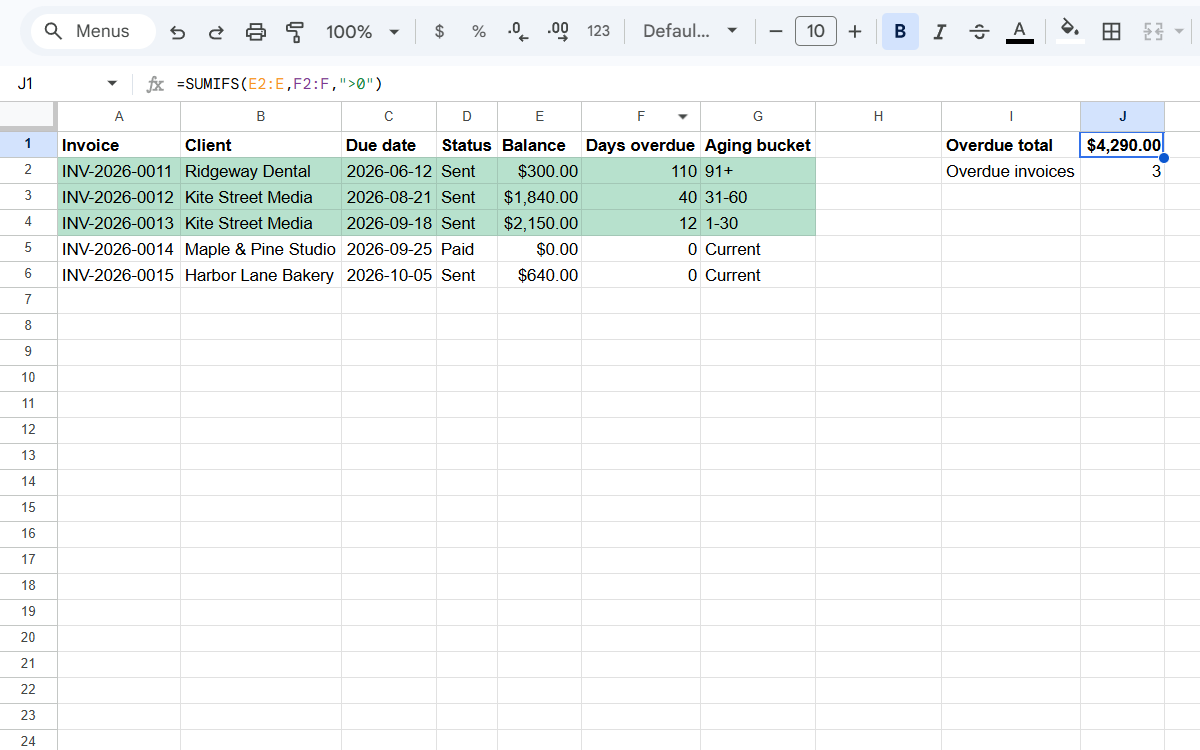
=SUMIFS(E2:E,F2:F,">0")=COUNTIF(F2:F,">0")=SUMIFS(E2:E,G2:G,"31-60")Change "31-60" in the last formula to another bucket name to see that total instead. The ranges E2:E, F2:F and G2:G run to the bottom of the sheet, so new invoices are included as soon as you add a row and copy the formulas down.
Step 4: Highlight overdue rows
Select A2:G, then Format › Conditional formatting › Custom formula is, and enter:
=$F2>0Pick a fill color under Formatting style and select Done. The dollar sign before F keeps every cell in the row pointed at the Days overdue column, so the whole row changes color, not just one cell. A row goes back to normal as soon as you change its status to Paid.
Worked example
The table applies Steps 1 to 3 to five invoices. To keep the numbers from changing after this page was written, it uses a fixed date in place of TODAY().
| Invoice | Due date | Status | Balance | Days overdue | Aging bucket |
|---|---|---|---|---|---|
| INV-2026-0011 | 2026-07-02 | Sent | $300.00 | 110 | 91+ |
| INV-2026-0012 | 2026-09-10 | Sent | $1,840.00 | 40 | 31-60 |
| INV-2026-0013 | 2026-10-08 | Sent | $2,150.00 | 12 | 1-30 |
| INV-2026-0014 | 2026-10-15 | Paid | $0.00 | 0 | Current |
| INV-2026-0015 | 2026-10-25 | Sent | $640.00 | 0 | Current |
Overdue total: $4,290.00 across 3 invoices.
INV-2026-0014 is Paid and INV-2026-0015 isn't due until October 25, so neither counts toward the overdue total, even though INV-2026-0015 still has a balance.
Common mistakes
- Due dates typed as text, so TODAY()>C2 never works. Use Format › Number › Date.
- Paid or Void invoices still counted. The Status check in Step 1 prevents this.
- Partial payments. Keep Balance as total minus what's been paid, so buckets show what's still owed.
Prefer a ready-made tracker?
The Freelancer Invoice & Payment Tracker does all of this, plus invoice numbers, partial payments and a dashboard. $14.99 USD, one-time.
See the Invoice Tracker