 Sheetstead
For Google Sheets™
Sheetstead Template Bundle
Both trackers and the free log in one purchase: invoices and payments, orders and profit, and a simple invoice log — three spreadsheets you own.
What's included
Three templates, each in its own spreadsheet. You get one setup guide PDF per template, and each guide has that template's copy link.
| Template | What it's for |
|---|---|
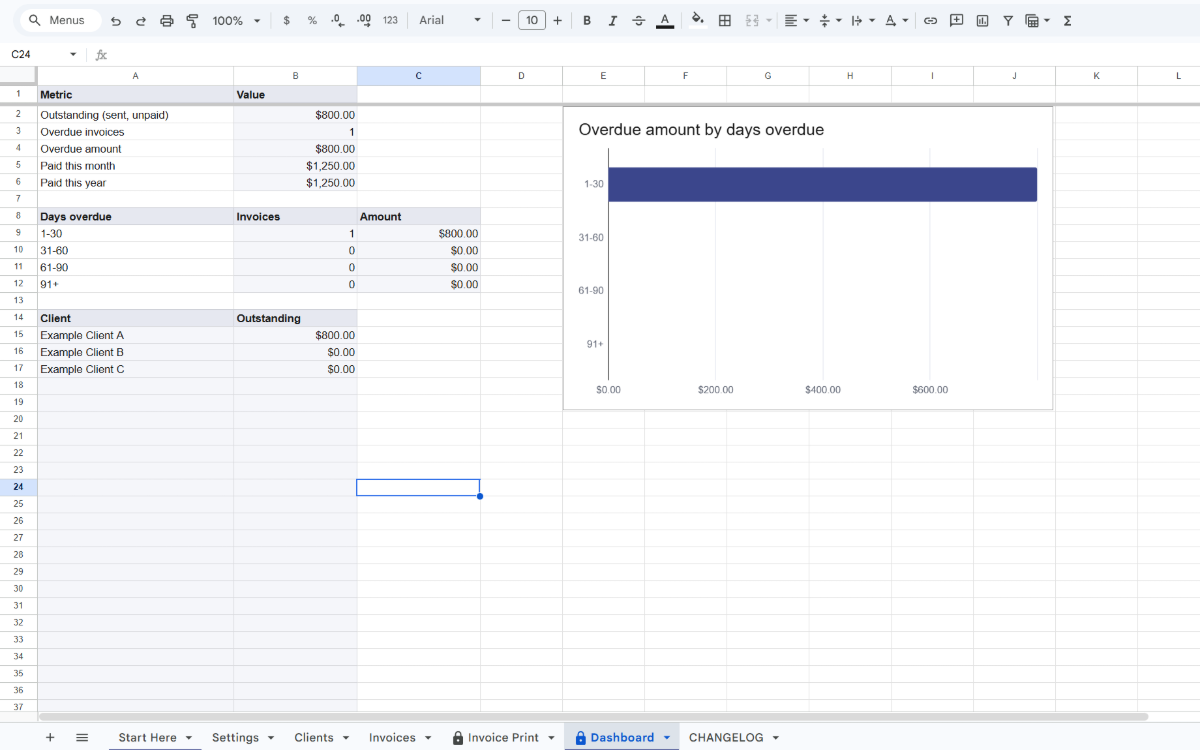
| Freelancer Invoice & Payment Tracker | Client invoices with automatic numbers, partial payments, days overdue, a printable invoice and a Dashboard. |
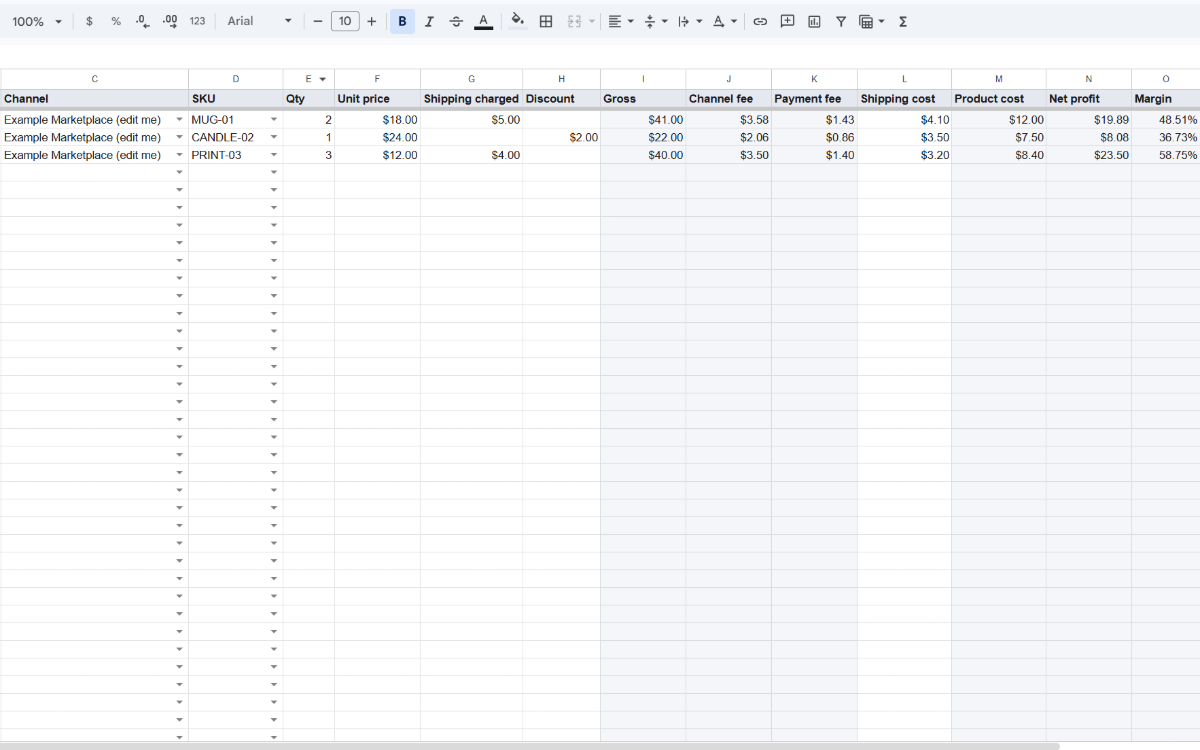
| Seller Order & Profit Tracker | Orders from every channel you sell on, with fees, net profit, margin and low-stock flags. |
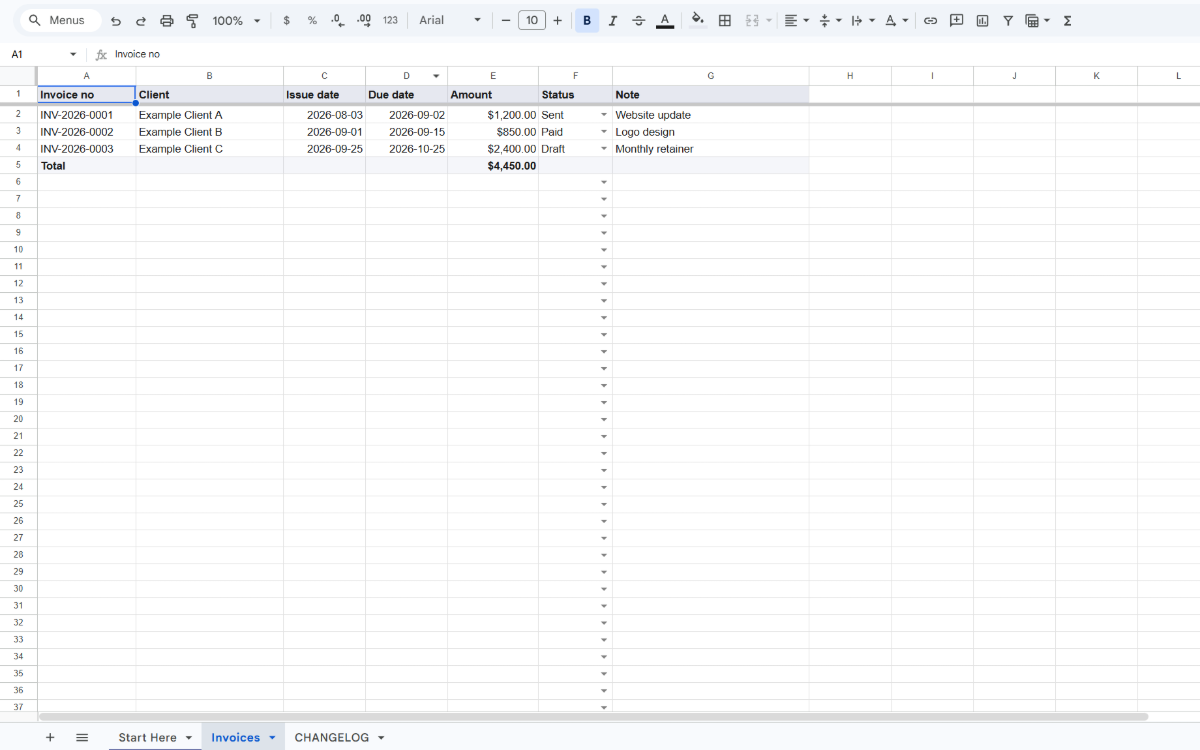
| Free Invoice Log | A plain invoice log with a totals row. It's free for everyone; the bundle includes it so it arrives with the other two. |
Who it fits
- You bill clients for your work and also sell products online.
- You want invoices, orders and profit in files you control, with no monthly fee.
- You'd rather get every Sheetstead template in one checkout than buy them one at a time.
How it works
- Buy the bundle — Checkout is on Polar. After payment you get three setup guide PDFs in your receipt email and the Polar customer portal.
- Make your copies — Open the copy link in each guide and choose Make a copy. Each template becomes its own spreadsheet in your Google account.
- Start with either tracker — The first time you use a tracker's Sheetstead menu, confirm its permission request. The free log uses formulas only, so it asks for nothing.
Screenshots
Already have one of the trackers?
The bundle includes both trackers. If you already bought one, the bundle gives you a second copy of it. To add only the one you don't have, buy it on its own page: Invoice Tracker or Order Tracker.
Each script can only access its own spreadsheet
Each tracker has a script that asks for one permission: to see and edit the spreadsheet it's attached to. Neither script sends email, connects to outside services or opens other files. The Free Invoice Log has no script at all. If a warning says the app isn't verified, the setup guide shows what to select.
What you need
- A Google account
- A desktop browser: Chrome, Edge, Firefox or Safari
- On phones and tablets you can enter data, but menus don't run
60-day refund
Ask within 60 days of purchase and you'll get a full refund of the bundle, no questions asked. The Free Invoice Log stays free to keep. Refund policy
Note: Template only — no custom work. Support is by email at support@sheetstead.com.